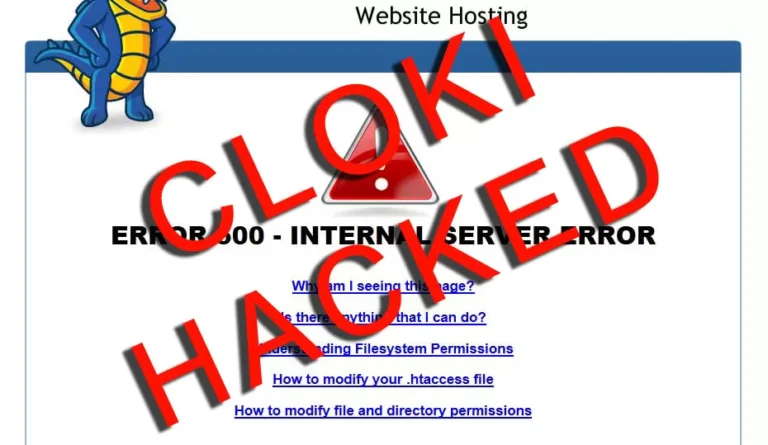
Your Joomla website is redirecting visitors to a spam page, Google shows a This site may be hacked warning or your host suspended the account for sending spam, these are the signs most owners notice first and by then the malware has usually been there for weeks. As a website malware removal service working with businesses in Toronto, across Canada and the USA, our team sees the same signs come up again and again on Joomla 3, Joomla 4 and Joomla 5 websites, so below you will find what to look for and what to check before anything gets worse.
IDL Web Inc is a Canadian, Toronto-based web development company that checks hacked Joomla websites for businesses in Canada and the USA, so ask for a FREE audit and our Web Experts will tell you what your Joomla website shows.
Redirects, Spam Pages and Google Warnings
The first signs of a hacked Joomla website usually show up on the front end, because the attacker wants your traffic or your search rankings rather than your content, a pattern our team sees on business websites in Ontario and across North America. Visitors coming from Google get sent to a pharmacy or casino page while you, typing the address directly, see a normal website, which is why the problem can go unnoticed for a long time.
Sneaky redirects
Mobile visitors or visitors from Google land on a spam page while logged-in users see nothing wrong.
Google and browser warnings
Search results show This site may be hacked or Chrome shows a red Deceptive site ahead screen.
Spam pages in Google
A site: search for your domain returns Japanese or pharma pages that you never created.
Mail problems
Your host reports outgoing spam or the emails from your contact form start landing in junk folders.
If you see any of these on your Joomla website, do not delete files at random, you can read how our cleanup works first, it explains why our Joomla developers in Toronto take a backup and scan before removing anything.
Signs Inside the Joomla Administrator
Log in to your Joomla administrator and look at the users list first, because attackers who get in usually create an account so they can come back after the cleanup. Our Joomla development team checks these areas on every hacked Joomla website we audit for clients in Canada and the USA.
- Super User accounts with names or emails you do not recognize.
- Extensions, plugins or templates installed that nobody on your team added.
- Global Configuration changes, such as a new mail address or debug turned on.
- Content items or menu items with hidden links, iframes or script tags.
- Login failures in the action logs from countries where you have no staff.
- Your own administrator password suddenly no longer working.
If the Joomla administrator itself is locked or redirects somewhere else, the hosting account is the next place to look, which is where the less visible signs sit.

Signs in the Hosting Account and the Files
The quieter signs of Joomla malware sit in the hosting account, where most website owners never look, so open your cPanel File Manager or ask your host for access and check the folders below the Joomla root. PHP files with random names in the images, cache or tmp folders are a strong sign, because Joomla never puts PHP code in those places.
Other signs include core files with a recent modified date when you did not update Joomla, an .htaccess file full of rewrite rules you did not write, unknown cron jobs and FTP users and a sudden jump in CPU or bandwidth use. Closing these doors is part of our website hardening and security work for business owners in Toronto and the rest of North America, because a cleanup that leaves the way in open only resets the clock.

Seeing These Signs on Your Joomla Website?
IDL Web Inc can help, we are a Toronto-based web agency serving clients across Canada and the USA, ask for a FREE audit and our reliable web developers in North America will tell you what the scan finds.
What to Do When You Find a Sign
First of all, take a full backup of the files and the database before you change anything, even an infected backup helps because it shows what the attacker changed and when. Then change the passwords for the Joomla Super User accounts, the hosting account, the database user and FTP from a computer you know is clean.
Don’t forget to check Google Search Console for security issues and manual actions, because a Google warning stays in place until you ask for a review after the cleanup, which highly matters for businesses that want to rank good in Search Engines, so for both USA and Canadian businesses that rely on search traffic, in-depth review is a must. Keep in mind that deleting the infected file you can see rarely solves it, the backdoor that let the attacker in is usually somewhere else.

How Our Toronto Team Cleans a Hacked Joomla Website
Our Joomla programmers start with an automated scan of the files and the database, then check by hand what the tools flag, clean in layers and compare your Joomla website with a fresh copy of the same version so no non-core file is left behind. After the cleanup we upgrade Joomla and PHP where the version no longer gets security fixes, remove extensions nobody maintains and put the administrator login behind a firewall.
We then watch the website for a few days and you can keep us on with ongoing Joomla maintenance plans for updates, backups and monitoring, which our website development company runs for businesses across the border, whether its USA or Canadian based businesses. No scan can promise a website will never be attacked again, however, a regular update routine makes a repeat infection much harder.
Think Your Joomla Website Has Been Hacked?
IDL Web Inc is a Canadian company based in Toronto that helps Joomla website owners across North America, send our web design team your website address and we will start with a FREE audit.
Frequently Asked Questions
How do I know if my Joomla website is hacked?
Look for redirects to spam pages, Google or browser warnings, unknown Super User accounts and PHP files in the images or cache folders, any one of these is enough reason for a scan.
Can a hacked Joomla website hurt my Google rankings?
Yes, spam pages and redirects can get your website flagged in search results, so our SEO experts check Search Console and request a review once the website is clean.
Do you help Joomla websites outside Toronto?
Yes, our web agency works with Joomla website owners in Ontario, across Canada and throughout the USA, all of the work is done remotely.
Should I restore an old backup instead of a cleanup?
Only with care, because a backup from before the infection still has the same hole the attacker used, so the restore needs the same hardening and updates as a cleanup.