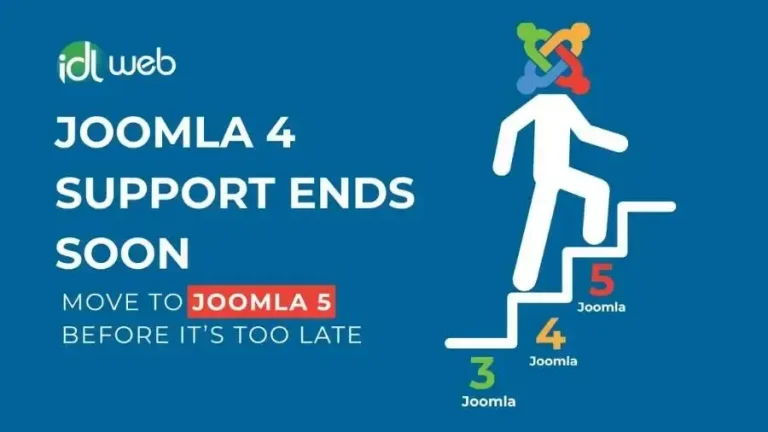

Migrating a Joomla 3.x website to Joomla 4.x takes a planned, step-by-step approach and this tutorial walks you through it from the development site to the go-live and the monitoring after it. Joomla 4 is the version that brought a completely new admin dashboard, raised the minimum PHP version to 7.2.5 and removed previously deprecated functionality, however, Joomla 4 support has ended since, so use the same steps with Joomla 5 as your target.
As a Canadian company serving businesses in Canada and the USA, IDL Web Inc can plan and run your Joomla migration, ask for a FREE audit or a FREE quote and we will tell you what your Joomla website needs.

Steps to Migrate from Joomla 3.x to Joomla 4.x
Follow these steps in this order and keep your live website untouched until every test passes.

Set up a development site and a backup
Set up a development environment before you start so you can make updates and customizations without affecting your live website and create a backup of the site before you change anything.
Make a full backup
Create a complete backup of your Joomla 3.x files and database with the popular Akeeba Backup extension or manually.
Verify the technical requirements
Check that your PHP version, your database (MySQL or PostgreSQL) and your web server (Apache, Nginx or Microsoft IIS) meet the minimums for the installed version and for Joomla 4.x.
Set up your staging Joomla website
Restore your backup as a staging website, either as a subdomain on your live server or on a local server with a tool like XAMPP or WAMP.
Update to Joomla 3.10
Joomla 3.10 is the bridge version that prepares your website for Joomla 4, so update your Joomla 3.x staging site to it before anything else.
Run the Pre-Update Check
Joomla 3.10 includes a Pre-Update Check that lists the technical requirements you still need to meet and shows whether your extensions and templates are compatible with Joomla 4.
Update your Joomla 3.10 site to Joomla 4.x
Update through the Joomla admin panel or by uploading the Joomla 4 update package manually. Run it on the staging copy first and keep the backup ready until the tests pass.
Test and verify the upgraded website
Test the front end and the back end, including the layout, the menus, the extensions, the customizations, the forms and the interactive elements.
Update extensions and templates
Download the Joomla 4 versions from the extension and template developers and if none exists look for alternatives or ask the developer about future compatibility.
Migrate your customizations
Review the custom code, the template overrides and the CSS changes, adjust them for the new Joomla version and test them on staging before they touch the live website.
Update content and media
Review your articles, images, videos and documents for Joomla 4 compatibility and keep the organization and structure of your content during the migration.
Set up SEO and redirects
Joomla 4 may change the URL structure and other SEO aspects, so review the meta tags, the URLs and the redirects to avoid losing rankings or creating broken links.
Plan the downtime and go live
Pick a suitable time to minimize the downtime, tell your audience about the changes, consider a maintenance page during the transition and launch once everything is tested.
Monitor and fine-tune
Watch your Joomla 4 website for issues, performance concerns and user feedback after the migration and keep up with Joomla news, security patches and updates.
Not sure your Joomla 3 website is ready to migrate?
IDL Web Inc can audit your extensions, templates and custom code and tell you what has to change before you start.
Why Joomla 4 Was a Big Step and Where to Go Next
Joomla 4 is a Long Term Support release that introduced a new admin dashboard UI, raised the minimum PHP version to 7.2.5, removed previously deprecated functionality and added many other enhancements. A Joomla 3 website needs a good road map to get there, with a plugin if you want to do it on your own or with professional Joomla migration services if you prefer to hand it over.
We strongly recommend skipping Joomla 4 and updating your Joomla website straight to Joomla 5 or later, because Joomla 4 support has ended too.
Want the migration done for you?
Tell IDL Web Inc about your Joomla website and we will send you a plan and a price.
What You Need Before You Start
- A full backup of your Joomla 3.x files and database.
- A staging site, either a subdomain on your live server or a local server with XAMPP or WAMP.
- A PHP version of at least 7.2.5, the minimum for Joomla 4 and a supported database, MySQL or PostgreSQL.
- A supported web server: Apache, Nginx or Microsoft IIS.
- A list of your extensions, templates and custom code, with the developer and the version of each one.
- Time to test every page, form and interactive element before you go live.
Common Problems During a Joomla 3 to Joomla 4 Migration
An extension has no Joomla 4 version
Check the developer website, look for an alternative or ask the developer about future compatibility and plan custom work if the feature matters to you.
A template breaks
The template structure and markup changed in Joomla 4, so ask the template developer for an updated version.
Custom code stops working
Template overrides, custom code and CSS changes need a review and adjustments and a test on staging before they reach the live website.
URLs and rankings change
Joomla 4 may change the URL structure, so review the meta tags, the URLs and the redirects before launch.
How IDL Web Inc Can Help
You can follow these steps on your own, however, most Joomla websites have an extension, a template or a customization that needs work and that is where IDL Web Inc helps at every stage. IDL Web Inc is Toronto based and covers businesses across North America.
Planning and auditing
We check the technical requirements, the extensions and the custom code before the first update, see our free audit.
Joomla migration
We migrate your Joomla website to the supported version, see our Joomla migration services.
Custom extensions
When an extension has no new version, we build a custom Joomla component, module or plugin, see our Joomla development service.
Joomla maintenance
We keep Joomla and every extension updated and backed up after the migration, see our Joomla maintenance and support plans.
Don't forget
Remember to always back up your Joomla website before you start and to test everything on a staging site first. A migration needs a well planned road map, because it is much cheaper to find a problem on staging than on your live website.
If you prefer to leave the migration to professionals, ask for a FREE audit or a FREE quote from the Joomla developers at IDL Web Inc and we will tell you the best path for your website. Our team is Toronto based and helps businesses across North America. Keep up with us to know more of Joomla news/fixes!
Schedule Consultation with An Expert
IDL Web Inc can plan and run your Joomla migration, ask for a FREE audit or a FREE quote and we will tell you what your Joomla website needs.
Frequently Asked Questions
Do I have to update to Joomla 3.10 before Joomla 4?
Yes, Joomla 3.10 is the bridge version that prepares your website for the migration and it includes the Pre-Update Check that lists the requirements and the extension and template compatibility.
Where should I test the migration?
Use a staging website restored from your backup, either as a subdomain on your live server or on a local server with a tool like XAMPP or WAMP and never test on the live website.
How do I back up my Joomla 3 website?
Back up both the files and the database, either with the Akeeba Backup extension or manually.